The whole school, all branches, in one system
A calendar for all instructors and vehicles, an office with permissions for every role, payroll for employed instructors, a headquarters screen for the whole network, Brosh Agent, the professional director, a student app and Alfi who does the work. Suitable for a small school, a network with branches and a motorcycle school.
No commitment · Free trial · Cancel anytime
Available now on

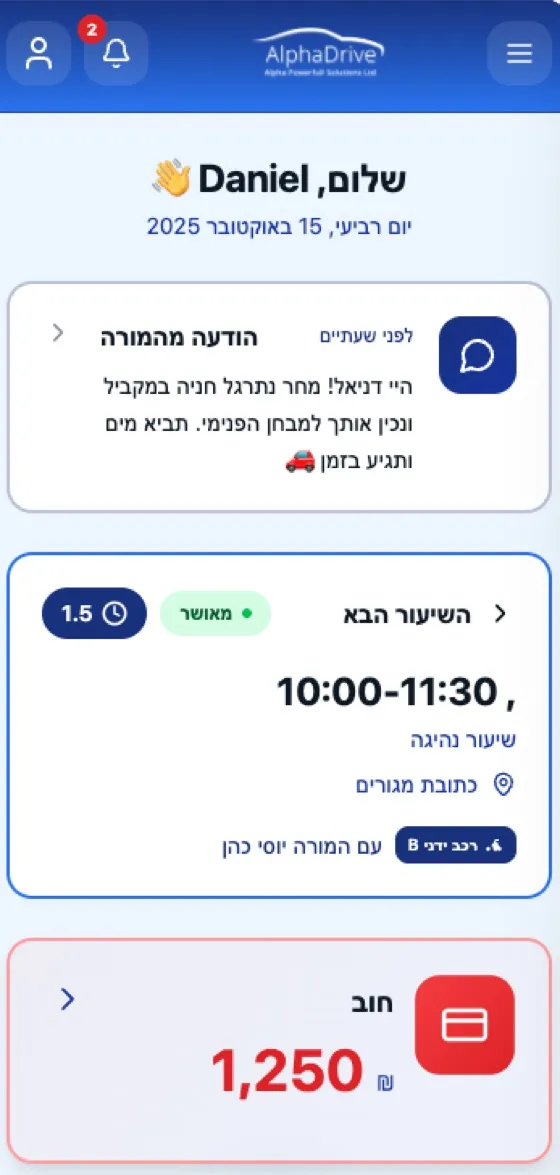
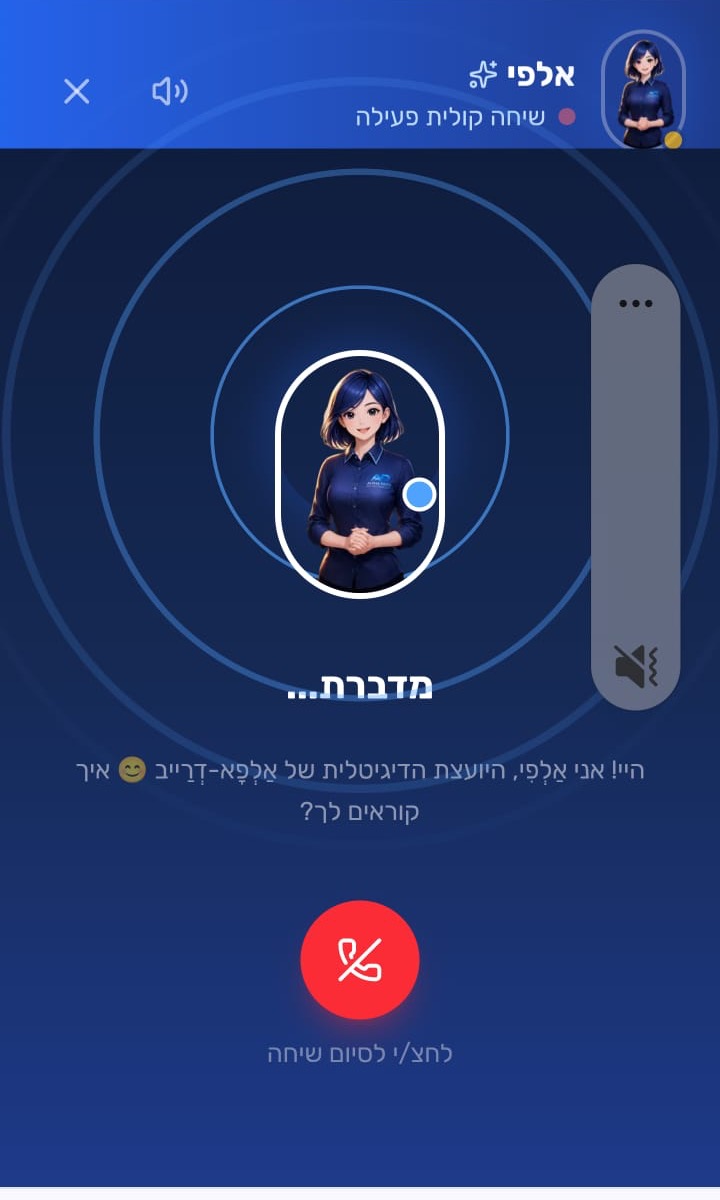
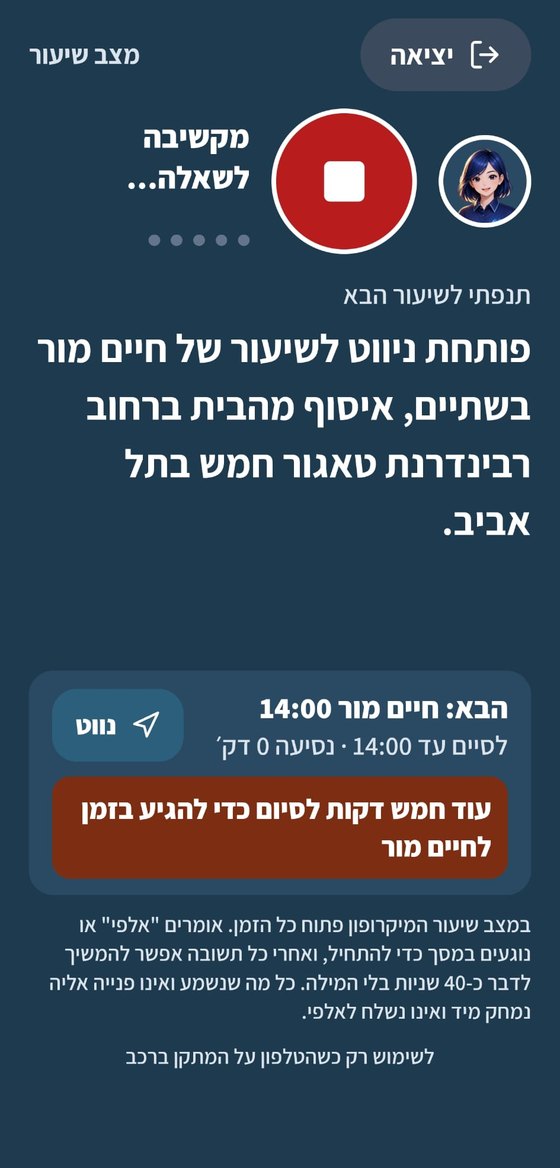
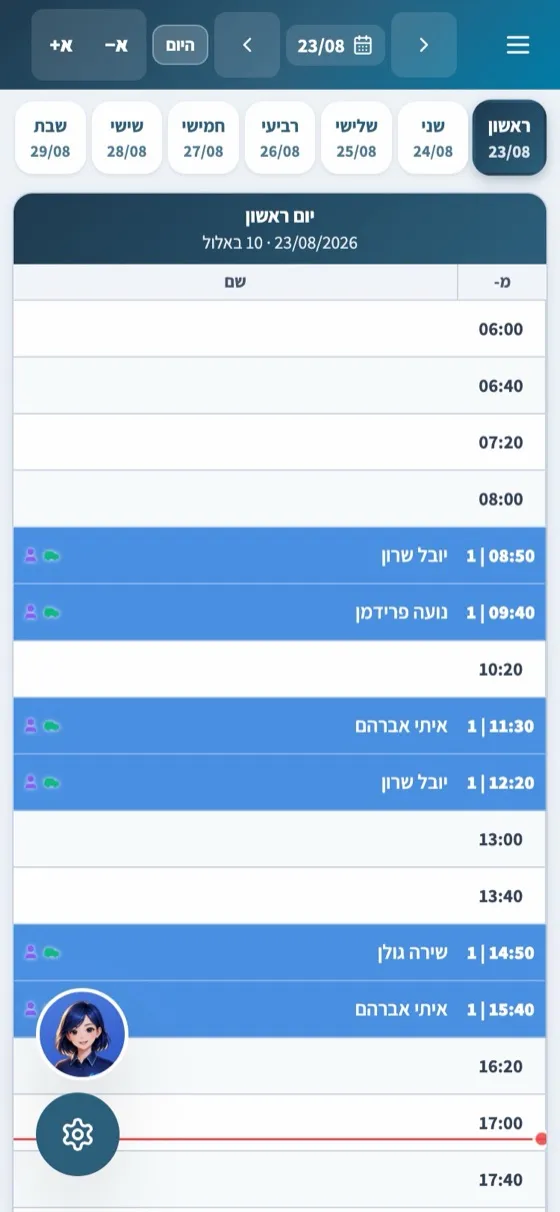
This is how it looks in a school
Real screens from the system, from a sample school with fictional names.
What the driving school gets
Everything a driving school needs, in one system and for any size.
"I need to see all the instructors and vehicles, not just one instructor's calendar"
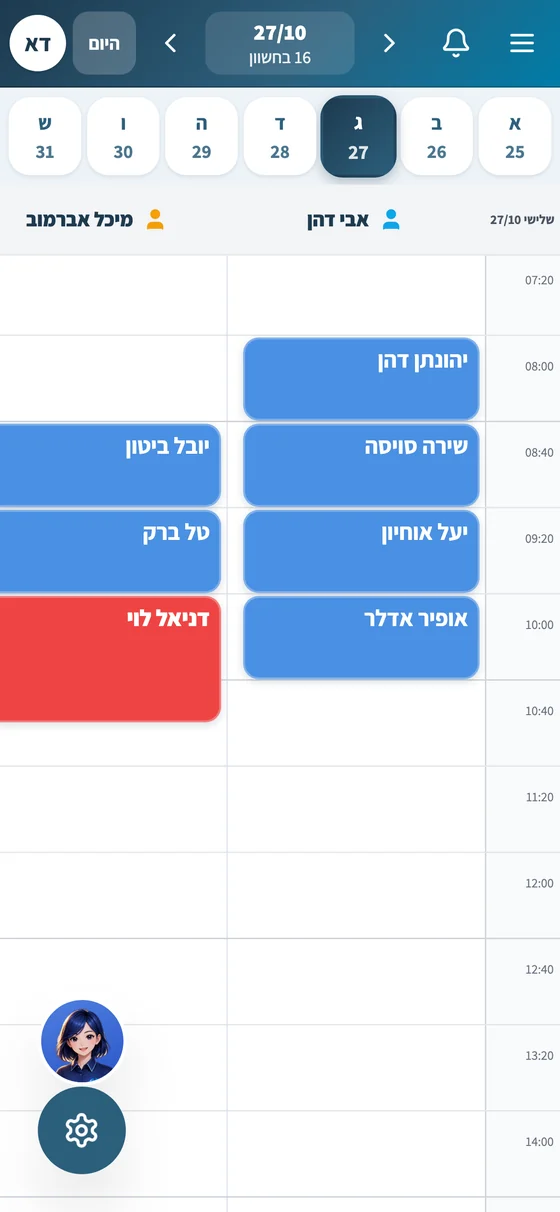
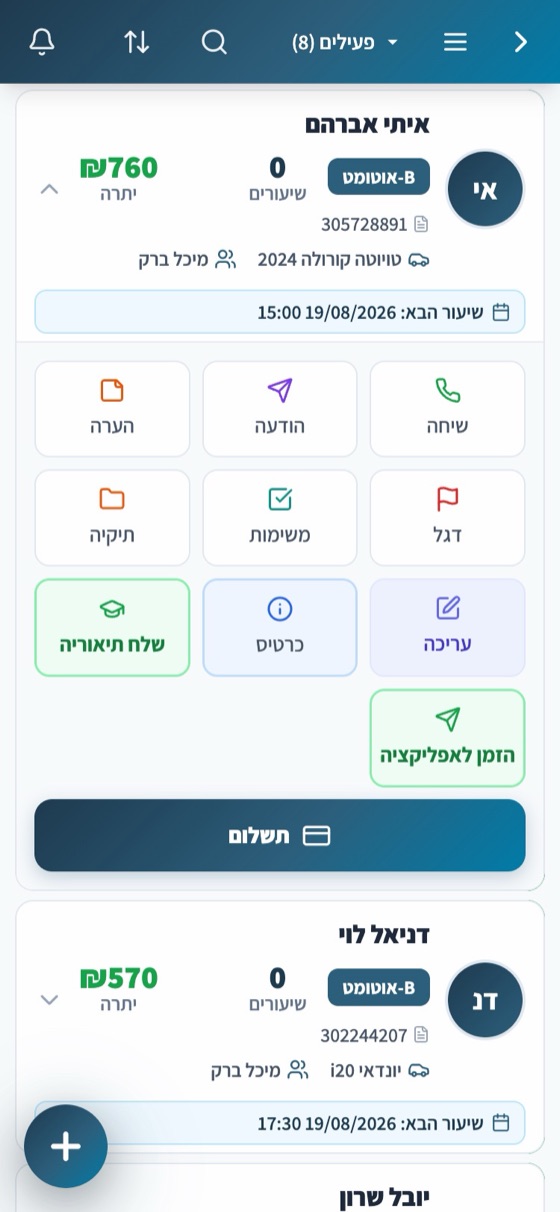
One calendar for all instructors and vehicles
View by instructor or by vehicle, for a day, three days, or a week. Internal pre-test checks and driving tests are in the same calendar, conflicts are detected before saving, and the licensing office's placement message adds the driving tests to the calendar automatically.
"Everyone should only see what relates to them"
Office, instructors and permissions: everyone in their place
Secretary, branch manager and employed instructor, and each role has its own permissions. An employed instructor who logs into the system sees only their students, lessons and vehicles. Independent instructors working with the school register in seconds, and every action in the system is recorded in the activity log.
"At the end of the month I calculate instructor payroll in a spreadsheet"
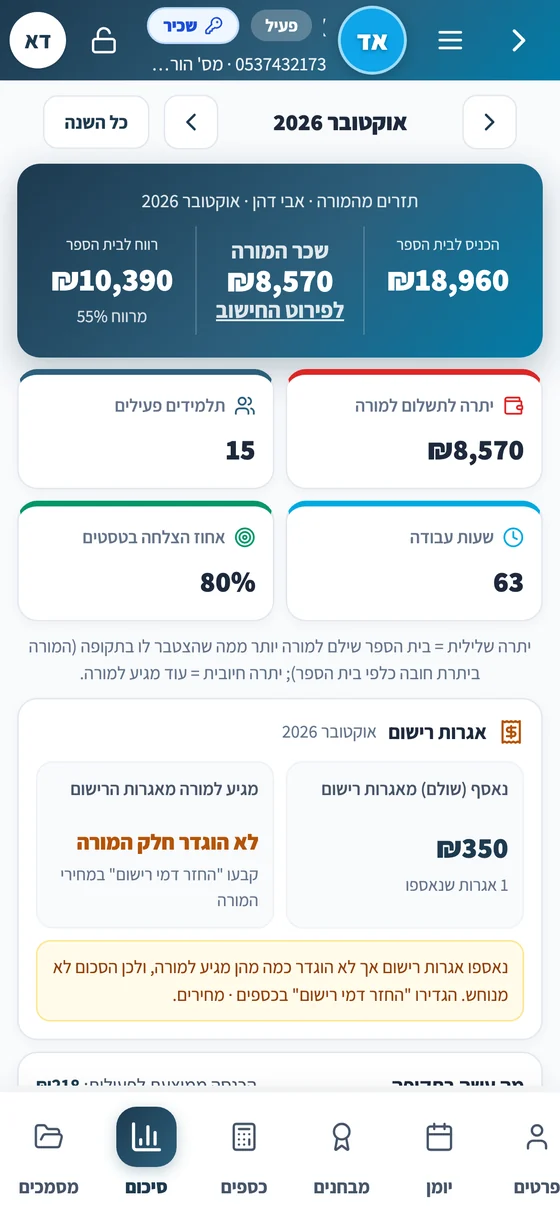
Payroll for employed instructors, calculated automatically
You choose a payroll method for each employed instructor: by completed lessons, or a percentage of their receipts. The system calculates the payroll for each period, and every instructor has one ledger with debit, credit and balance. On the instructor's card you see how much they brought into the school, how much they are owed and how much stays with the school. Run payroll for all instructors together, record payments and export to Excel.
"I have several branches and I want to see everything from one place"
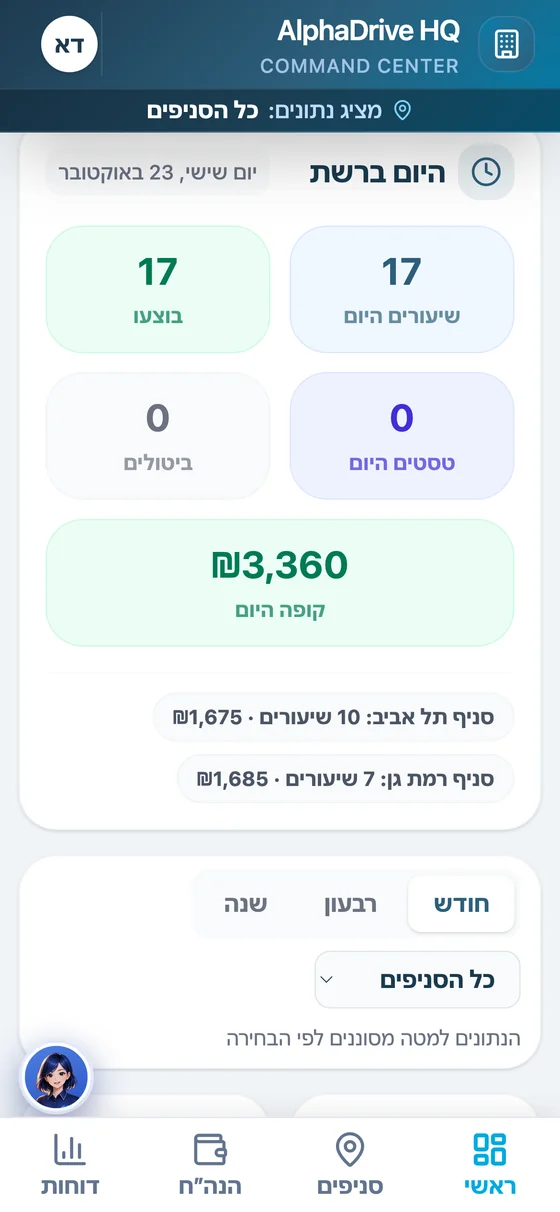
Branch network, one headquarters
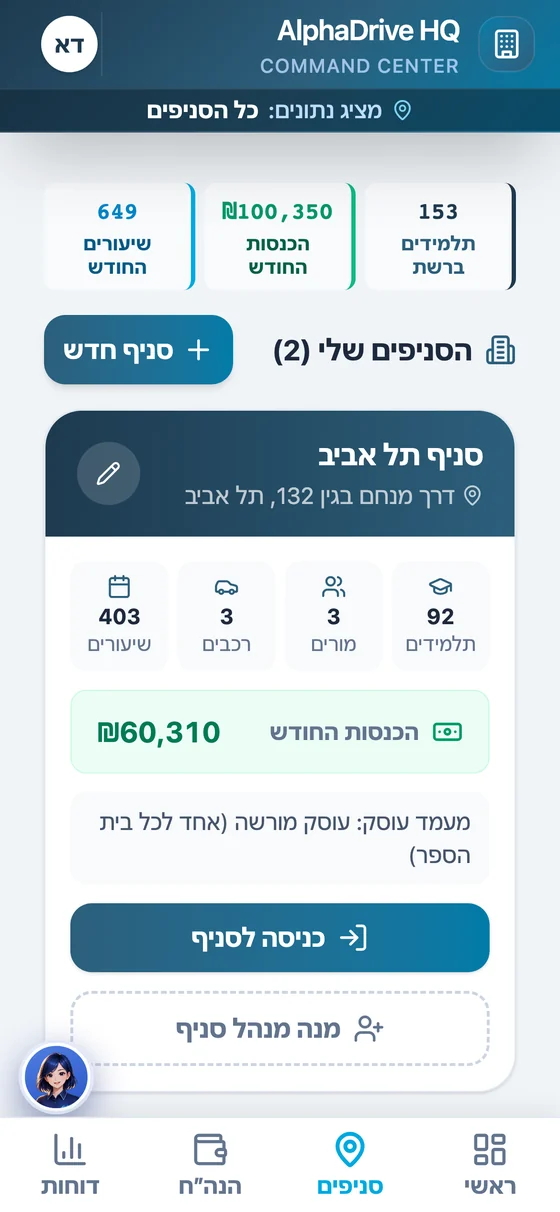
A headquarters screen for the whole network: "Today in the network" with the lessons, performance and register of each branch, and a branch ranking. You enter any branch with a click, to its calendar, students and instructors, and return to headquarters. A branch manager gets permissions only for their branch, and data is separated between branches.
"I copy students and driving tests between Brosh and the system"
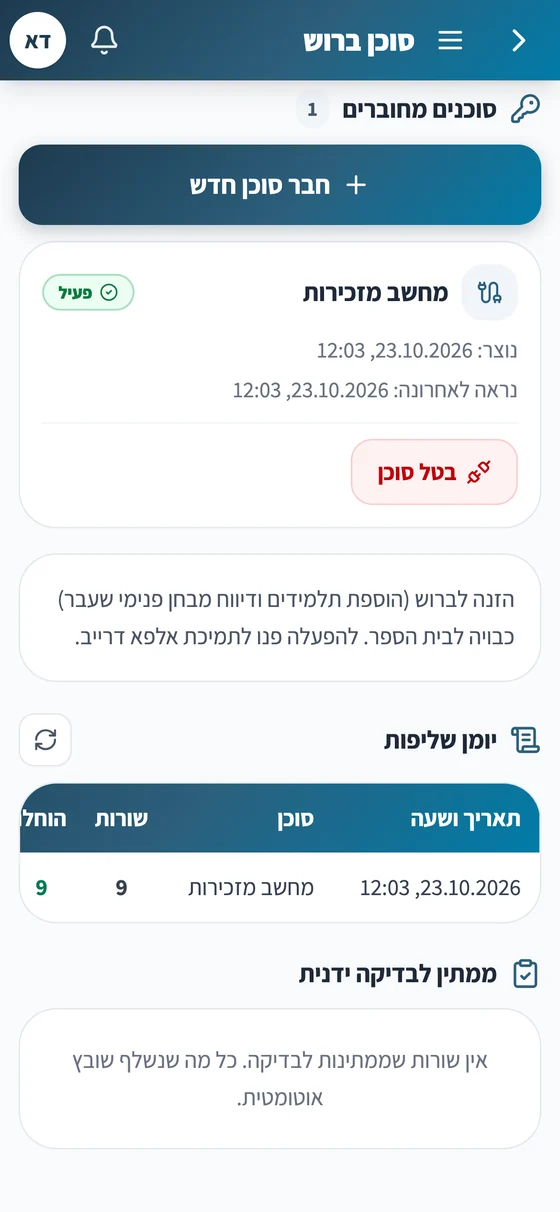
Brosh Agent: The system talks to the Ministry of Transport portal
A browser extension on the office computer connects the system to Brosh. With a click it pulls the scheduled driving tests from the portal and places them in the calendar, with no double typing. It also fills in new students and students who passed an internal pre-test check for you in Brosh, and you just approve. Data entry to Brosh is activated in coordination with support, and the extension does not save passwords.
"The professional director works with forms and notes"
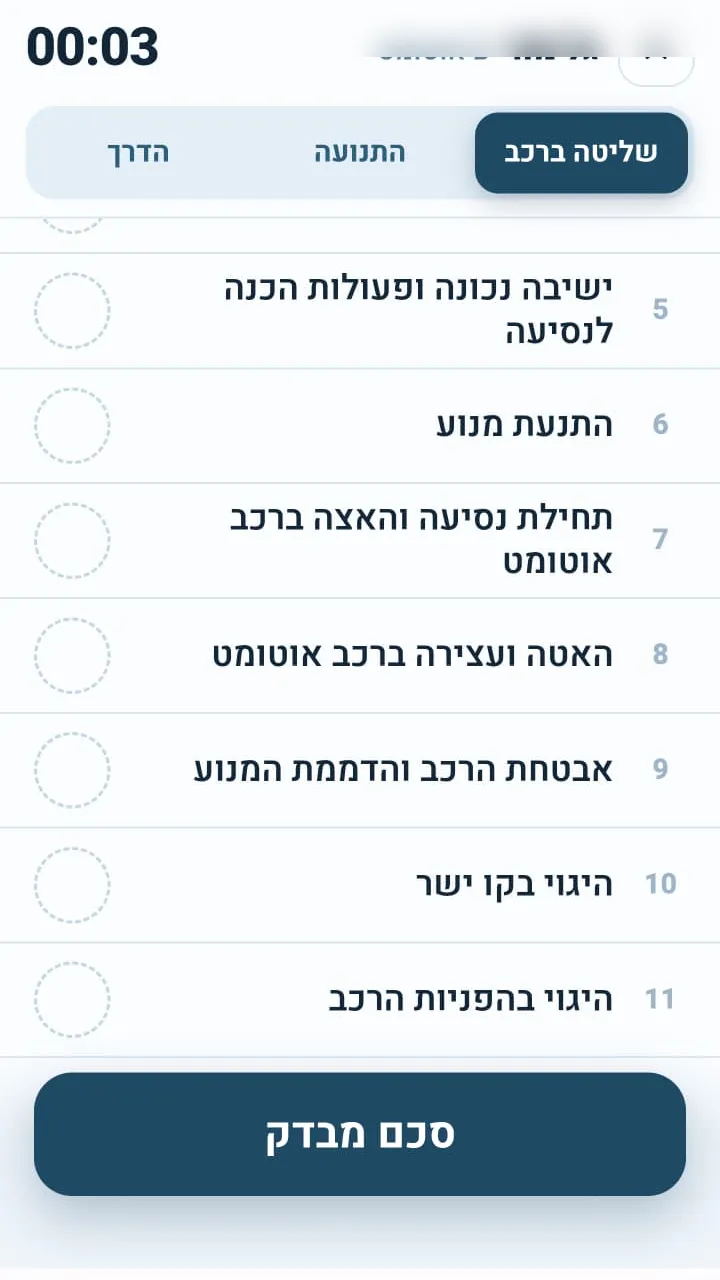
The professional director and Alpha Test
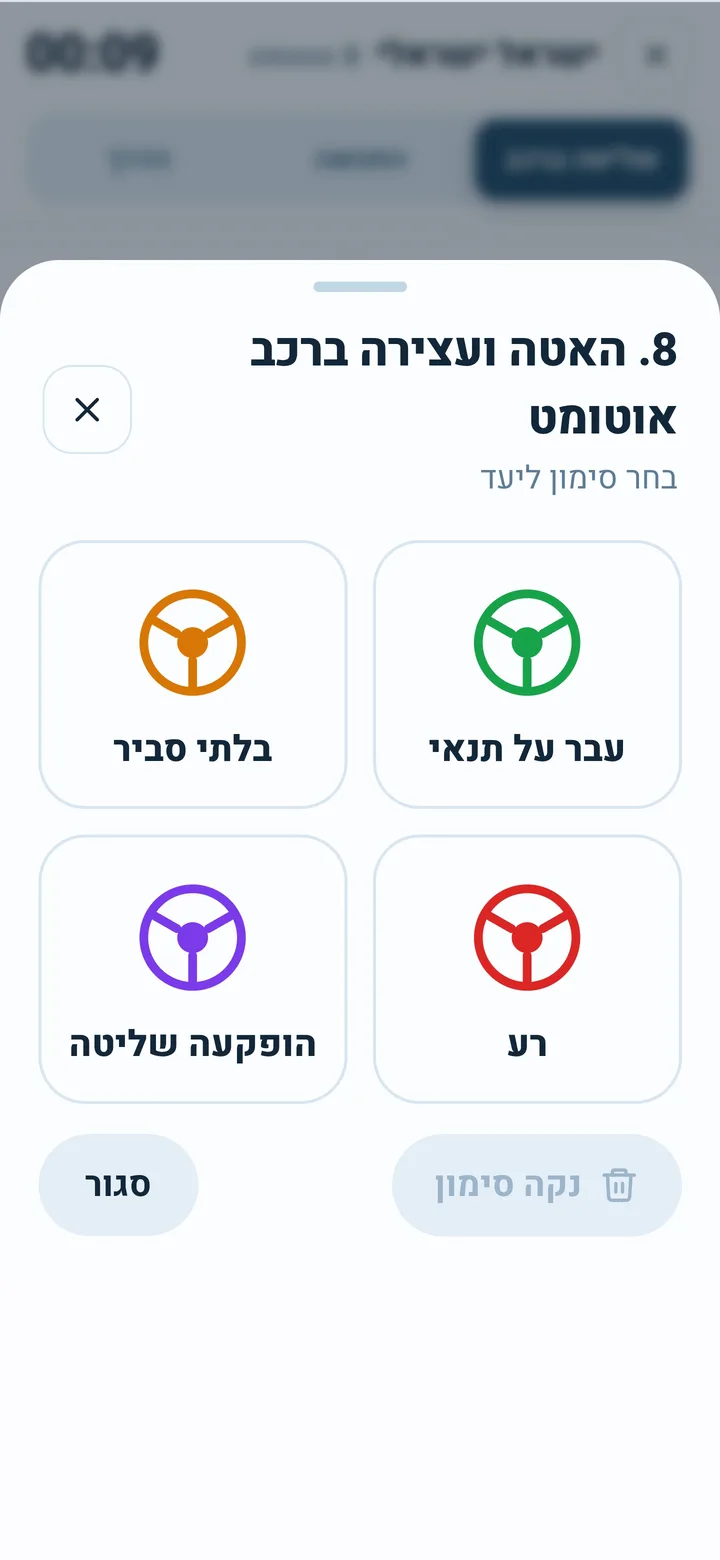
The internal pre-test check before the driving test is done in Alpha Test: one form on the phone, real-time marking and signatures, connected to the driving school's system. An internal pre-test check is scheduled in the calendar like a lesson, and the message to the student goes out automatically.
"At the end of the month I need to know how much came in, from every instructor and every branch"
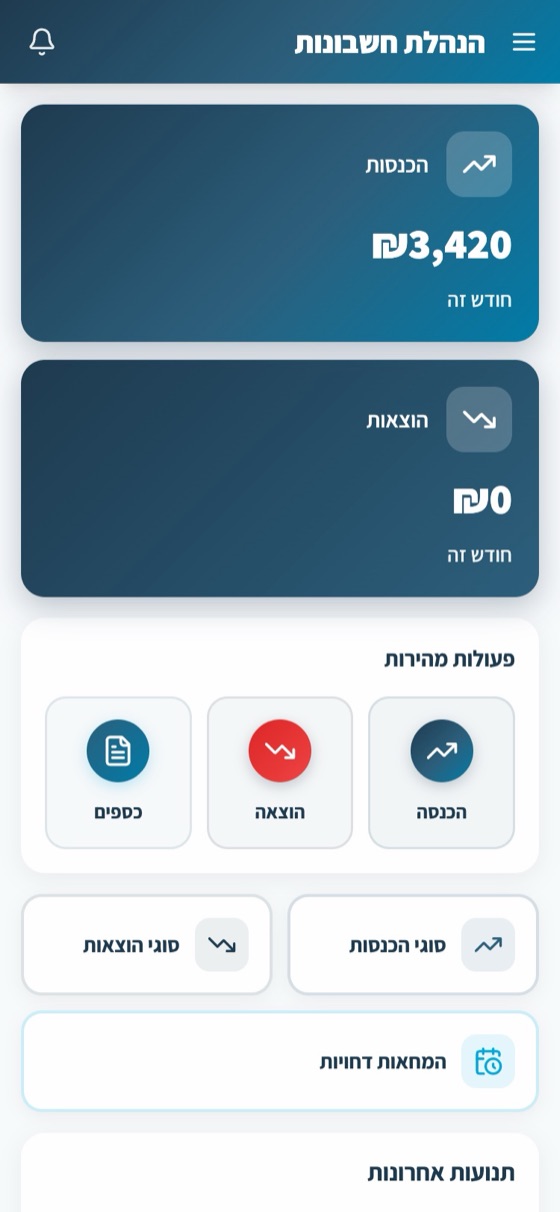
Money and documents from all instructors, in one place
Invoices, receipts and credit notes, built-in card payment processing, lesson packages and funding bodies, digital fees, and VAT reports transmitted to the Israel Tax Authority directly from the system. A report generator for any question: by instructor, by branch or for the whole school.
"The office answers phones all day about hours and payments"
Student app: fewer calls to the office
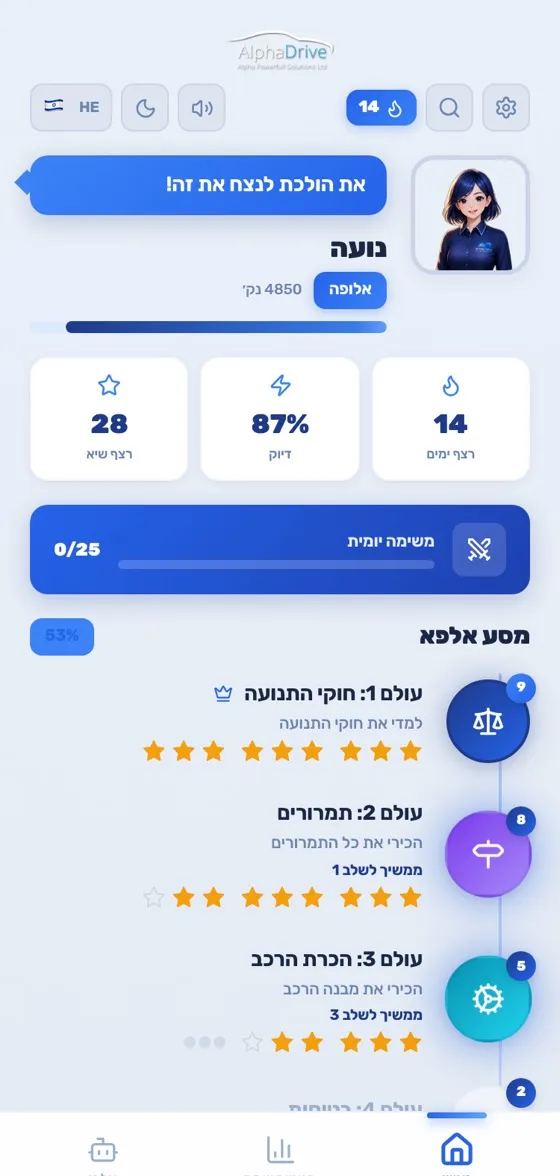
Students schedule lessons according to the rules you set, see their balance and pay, sign documents and track their progress, in 5 languages. Fewer calls to the office, fewer cancellations and on-time payment.
"I want an answer now, without searching through reports"
Alfi, the assistant for the office and the instructors
Alfi schedules and cancels lessons, issues receipts, sends reminders and answers questions about the data. The instructor talks to her by voice in the middle of a lesson, and the office writes to her. From headquarters she answers about the whole network: which branch added the most students, and who is leading this month.
The whole school, all branches, in one system
Get a demo for your schoolWho is this for?
Built especially for you
Small school
Several instructors and a secretary, with a shared calendar, permissions and money in one place.
Network with branches
One headquarters, a manager for each branch, and data is separated between branches.
Motorcycle driving school
A training lot, vehicles by type and license classes, in the same system.
How do we start?
3 steps, with personal guidance along the way
Intro call and demo
We show you the system according to your school's needs, on Zoom or by phone, with no obligation.
Smooth transition
We transfer the students with their balances, learning goals, and the calendar. Accounting documents stay in the previous system.
Staff training and getting started
We train the office, the instructors and the professional director, and you start working with a 30-day free trial.
FAQ
Does an employed instructor see the whole school?
How is an employed instructor's payroll calculated?
How do you work with multiple branches?
Is the system connected to Brosh?
What transfers from the previous system?
Does the professional director need a separate system?
Is the system also suitable for a motorcycle school?
How much does it cost?
More from the platform
All products work together with built-in AI, no setup and no integrations


The whole school, all branches, in one system
A calendar for all instructors and vehicles, an office with permissions for every role, payroll for employed instructors, a headquarters screen for the whole network, Brosh Agent, the professional director, a student app and Alfi who does the work. Suitable for a small school, a network with branches and a motorcycle school.
Available now on